
Every visit booked. None booked twice.
Book a site visit, demo or consultation from the contact, see every person's and room's day on one calendar, and let the customer get the time, the place and a reminder by email.
- Book from the contact in a few taps
- Customers book from your link
- A reminder the day before
People's calendars are on every plan. Rooms, vehicles, take turns and unlimited booking types are on Premium, and every trial has them.
From a shared link to a visit on the deal.
No calls to fix a time, no sheet to keep in sync, nothing for anyone to remember.
- 1Share your linkOn WhatsApp, on your site, or through a partner's own link.
- 2They pick a free timeOnly times someone is really free, weekends too.
- 3A contact appearsThe person who books becomes a contact in your CRM.
- 4Emailed and remindedThe time and the place at once, and a reminder the day before.
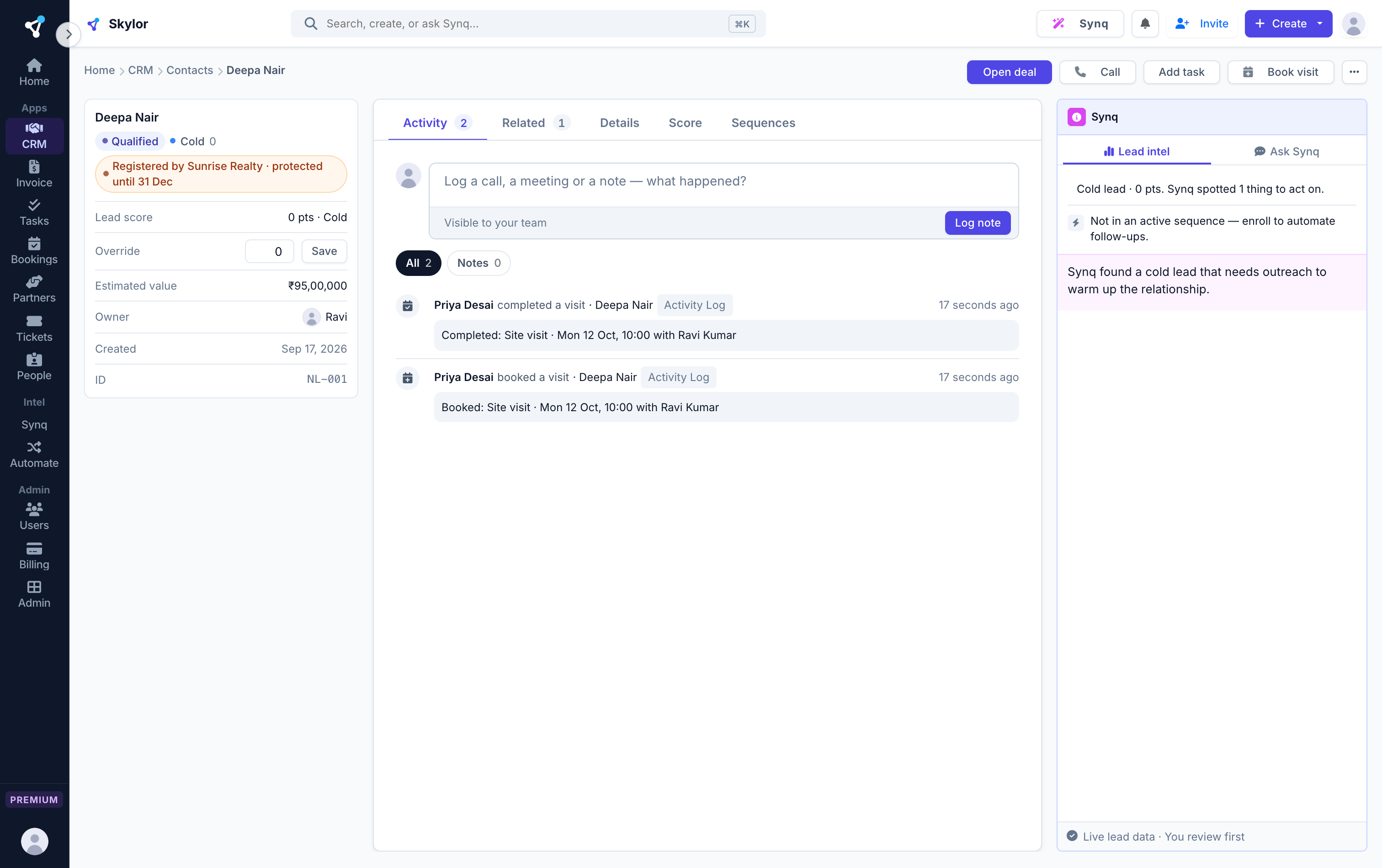
- 5On the dealEvery booking and every change shows on the contact and the deal.
Tell us what you do. Skylor sets up the rest.
Pick your kind of business when you start. Your booking types are ready, and real estate gets a pipeline from site visit to registration.
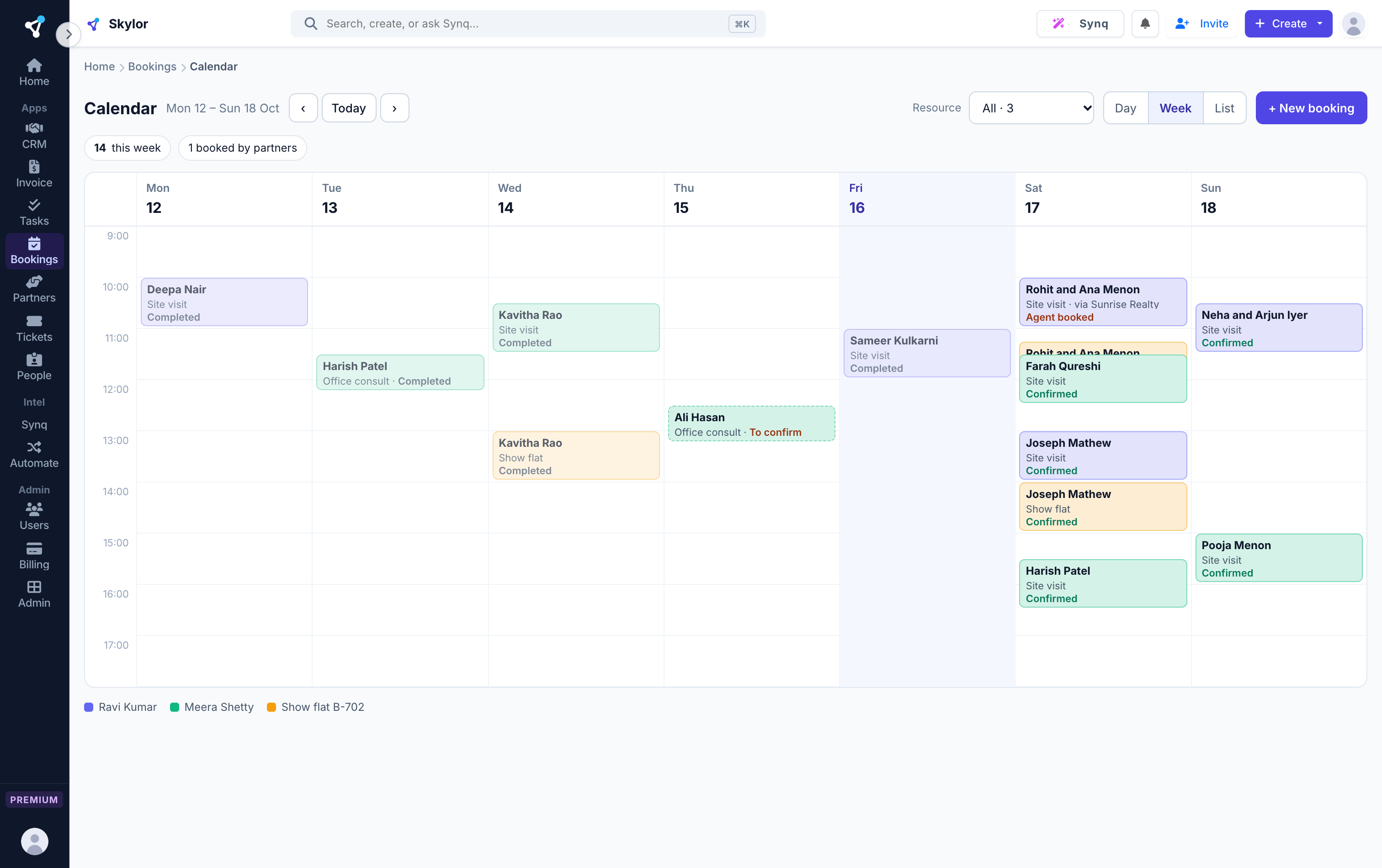
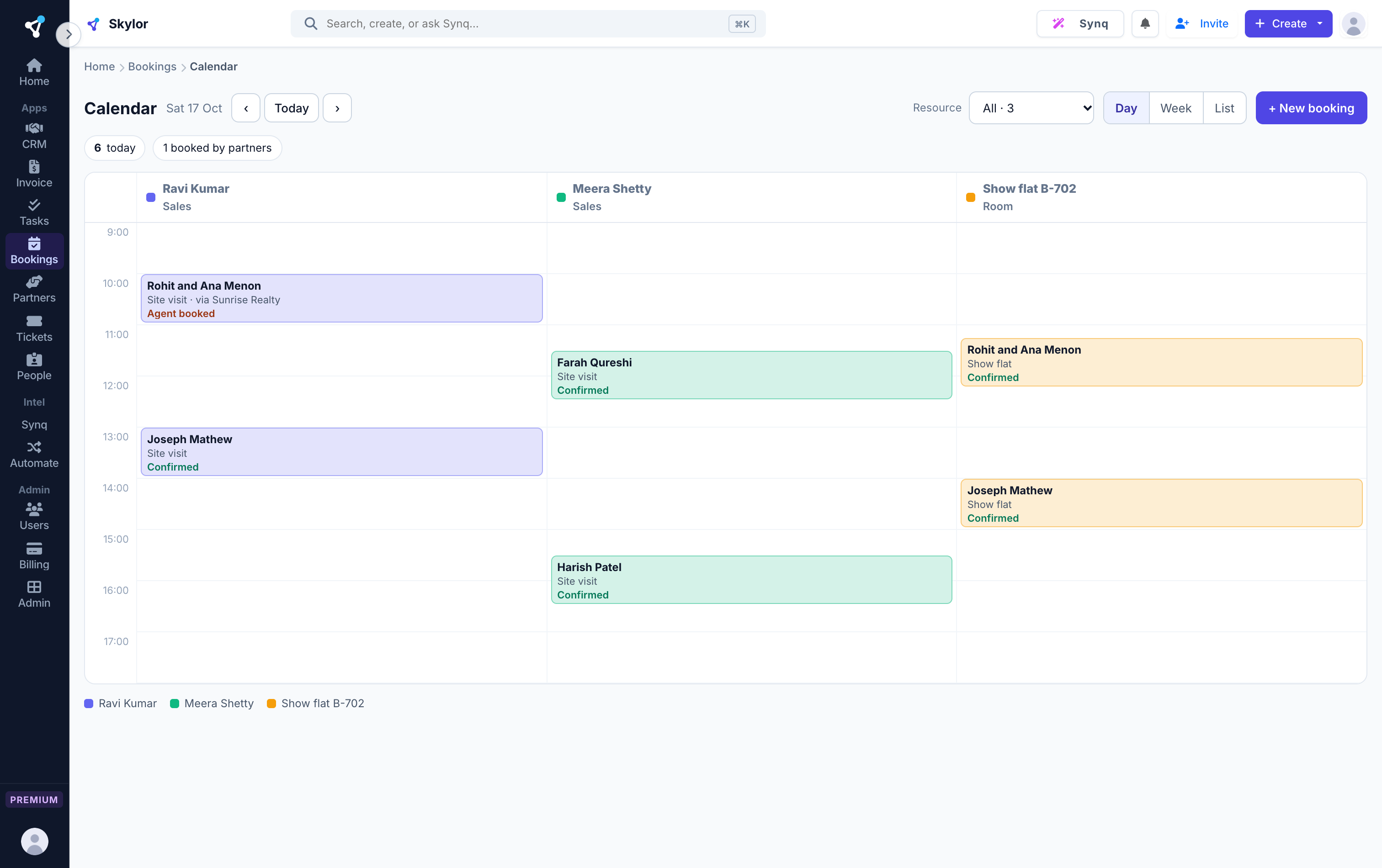
One calendar for every person and room
Each person, show flat or meeting room gets its own column. A person or a room can never be booked twice for the same time: the database itself refuses it. Every time shows in your workspace's own time zone.
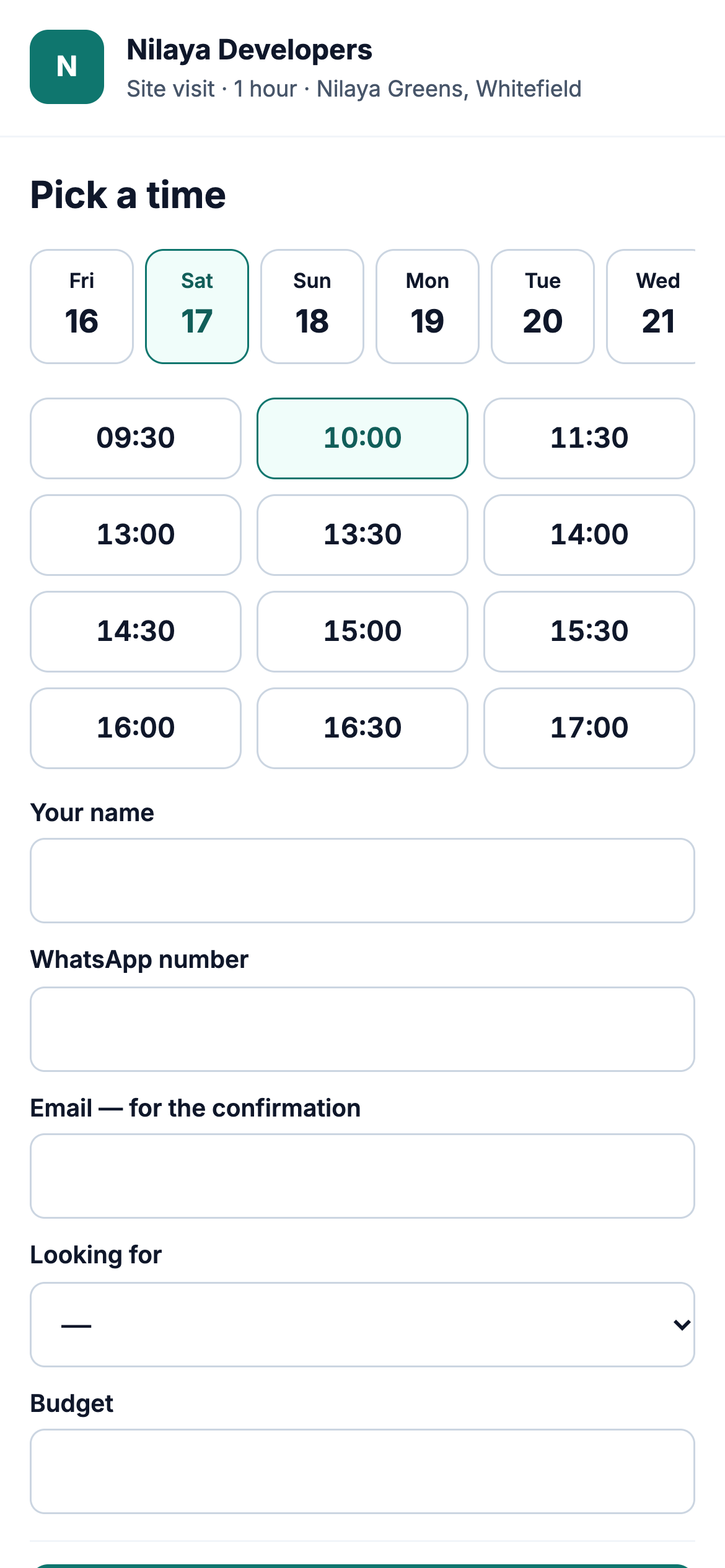
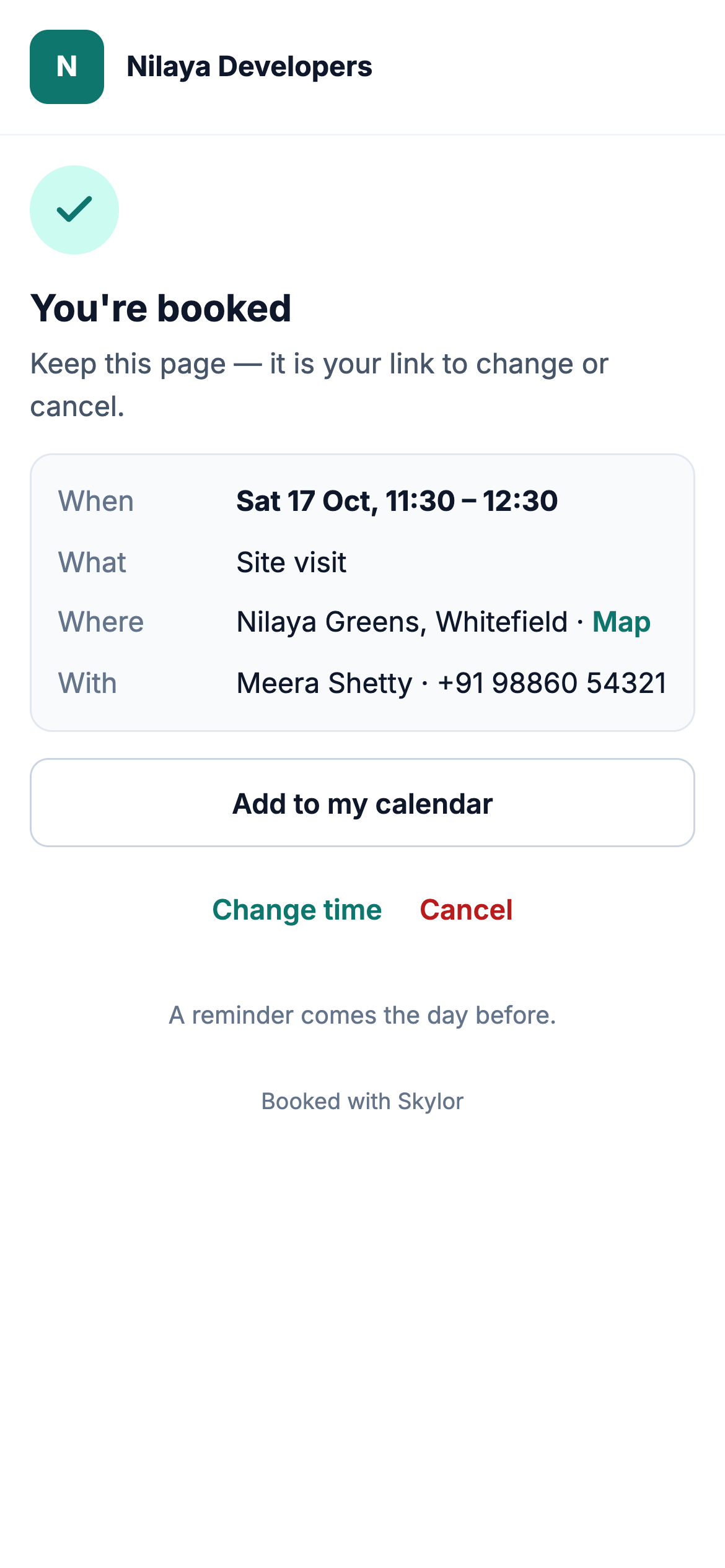
Customers book themselves, and change it themselves
Share your link. Customers see only the free times, book, and become a contact in your CRM. They change or cancel with their own link: no account, no phone call.
Booked from the contact, kept on the contact
Book from the contact or the deal in a few taps, and only free times are offered. Every booking and every change shows on the contact and the deal, so the CRM always knows the visit happened.
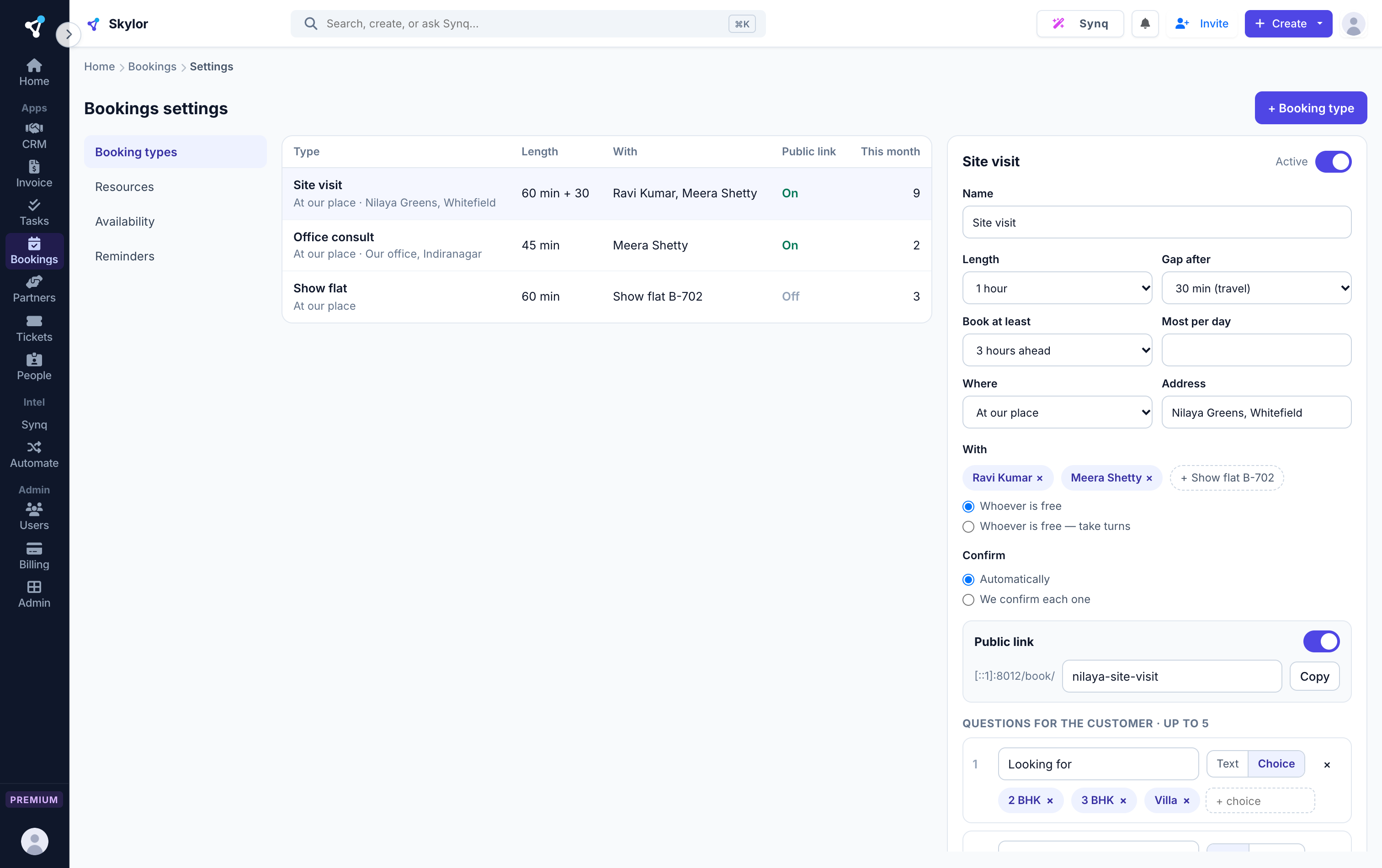
Ask the right questions before they arrive
Each booking type carries its own length, the gap kept free after it, how far ahead it must be booked, and your questions for the customer, so the visit starts with what you needed to know.
Built for a front desk that's always busy.
Never booked twice
The rule lives in the database, not on a screen, so two bookings for one person or room at the same time cannot both win.
Reminded the day before
Your customer gets the time and the place by email, and a reminder the day before. Sent once, never twice.
The right people see the right bookings
Team members see their own, managers their department's, admins everything.
The things people ask first.
Can customers change their own booking?
Yes. Their booking email carries their own link to change the time or cancel. No account and no phone call.
Can I book rooms and vehicles, not just people?
Yes. Rooms, vehicles, sites and equipment are on Premium; people's calendars are on every plan.
Will the CRM know the visit happened?
Yes. Each booking and every change shows on the contact and the deal.
What time zone do customers see?
Your workspace's own. Every time on the calendar, the booking page and the emails is shown in it.
Bookings is one of 8. They work as one.
One login, one bill, one rate. Every app included, on every plan.
Put every visit on one calendar.
Every app is on every paid plan. Start free for 14 days, no card.