
Not a chatbot. An operating layer.
Synq sees your whole workspace, from leads to invoices to tasks to tickets, and helps you act on it: draft the follow-up, flag the overdue, prioritise the day. Always within each user's permissions.
- Works across CRM, Invoicing, Tasks, Tickets, HR
- Drafts emails, summaries & action plans
- Grounded in your data, scoped by your permissions
This is the screen Synq opens on.
Not a chat window. A ranked, live read of what needs a decision today, assembled from every app in the workspace and cut to what your role is allowed to see.
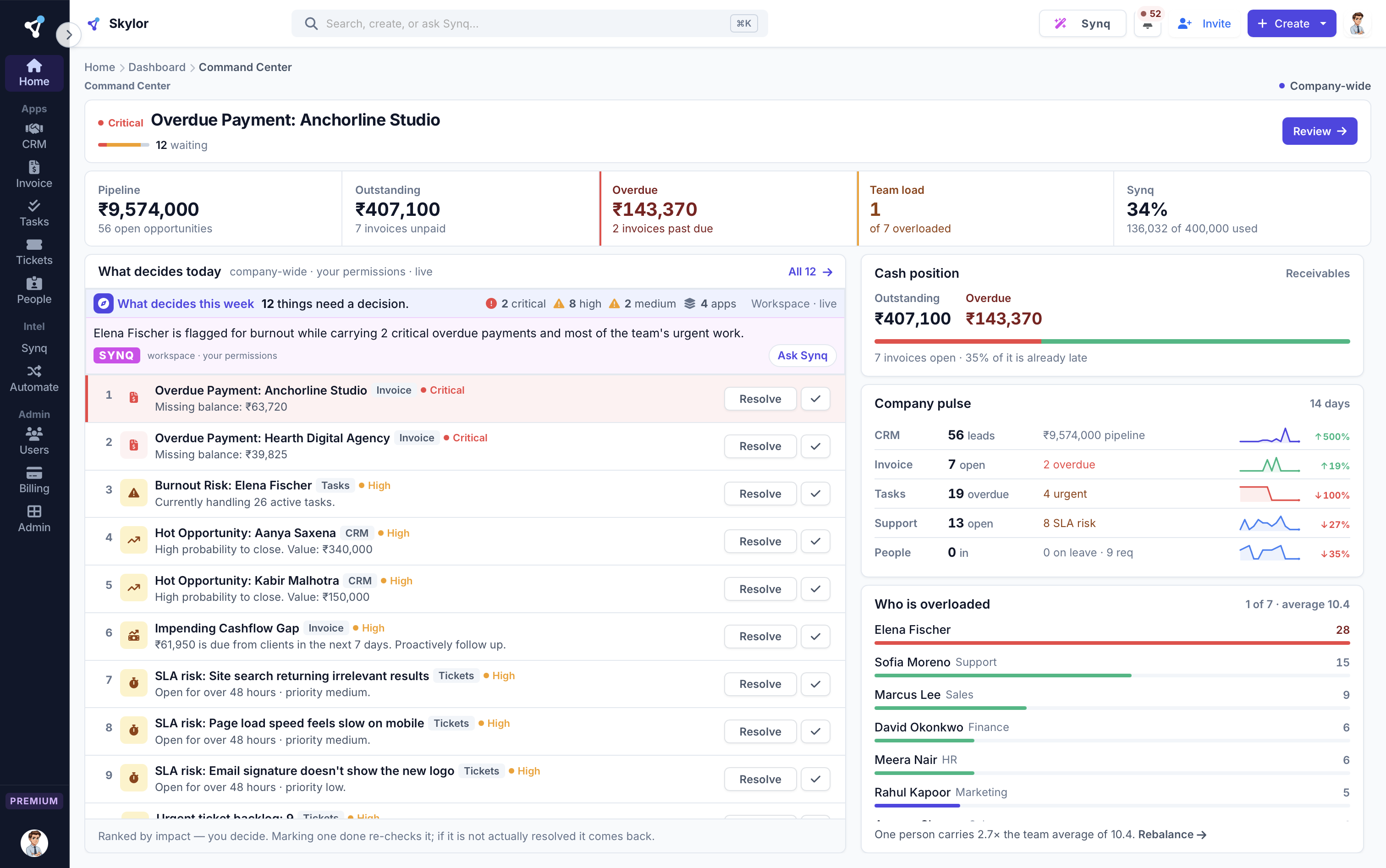
Ranked, not listed
Everything that needs a decision, ordered by severity rather than by date. The count and the ordering are computed from your records, not written by a model.
Every row says where it came from
CRM, TICKETS, INVOICE, TASKS. A signal you cannot trace back to an app is a signal you cannot act on, so each one names its source and links to the record.
A model may not invent a number
Figures come from the same queries the app's own pages run. If a generated line carries a number our query did not produce, the line is discarded and the measured sentence stands.
The meter is on the page
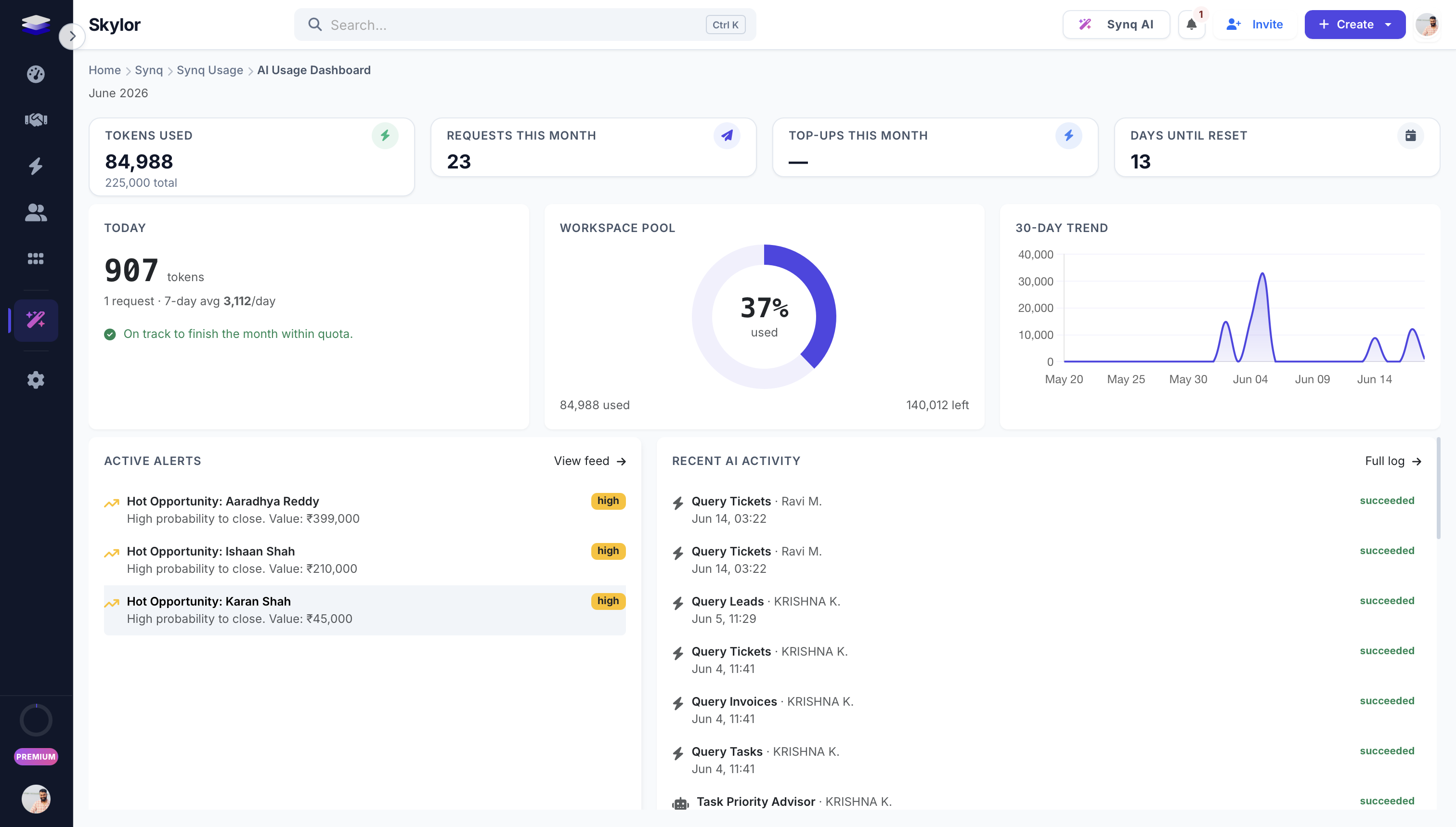
Tokens used against the monthly pool, in the product, on the screen you already had open. You find out what AI is costing you while you are using it, not on a bill at the end of the month. The per-member breakdown is one click away.
Five apps in, three things you can act on out.
An assistant living inside a CRM can only ever know about the CRM. Synq reads underneath all five apps at once, which is why it can tell you the deal you are about to chase has two unpaid invoices and an open ticket.
It sees exactly what you see
Every query runs through the same permission scoping as the screen you are looking at. A manager asking about pipeline gets their department's pipeline, not the company's, and a member cannot reach another department's overdue invoice through Synq any more than through the UI.
It speaks before you ask
Your Command Center opens with what needs attention today, ranked by severity and drawn live from every app you use, instead of an empty prompt box waiting for you to think of a question.
It does the work, then stops
It drafts the invoice lines, turns a meeting note into assigned tasks and writes the chase email. It never sends anything on its own. That is a deliberate decision, not a missing feature.
The rules it runs under, in plain words.
The useful thing to know about an AI feature is what it is not allowed to do. These are enforced in code, not in a policy page.
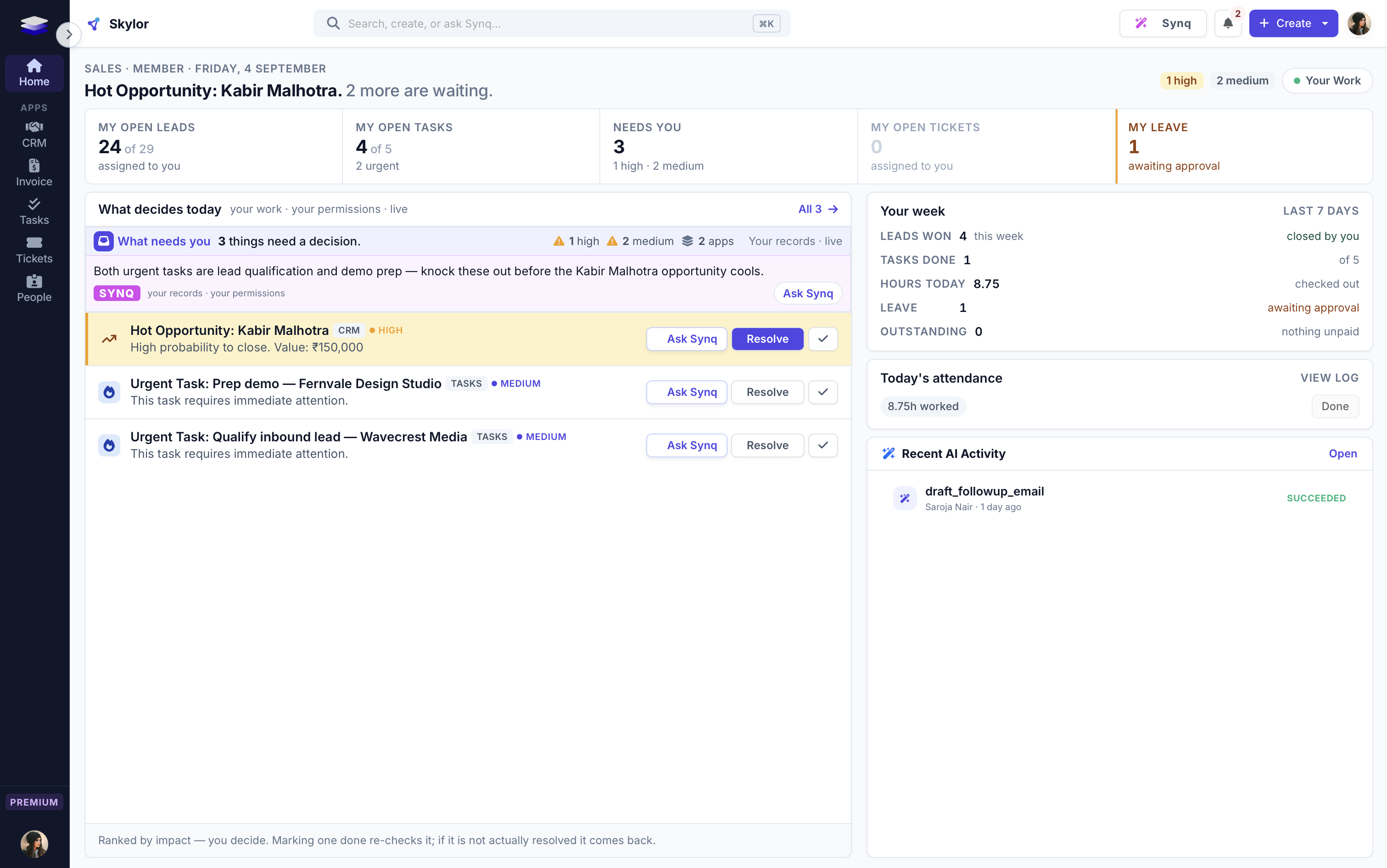
One page, cut to your permissions
The same page for everyone, showing what each person is allowed to see. A manager opens their department; a member opens their own work. Nobody gets a stripped-down version, and nobody sees past their fence.
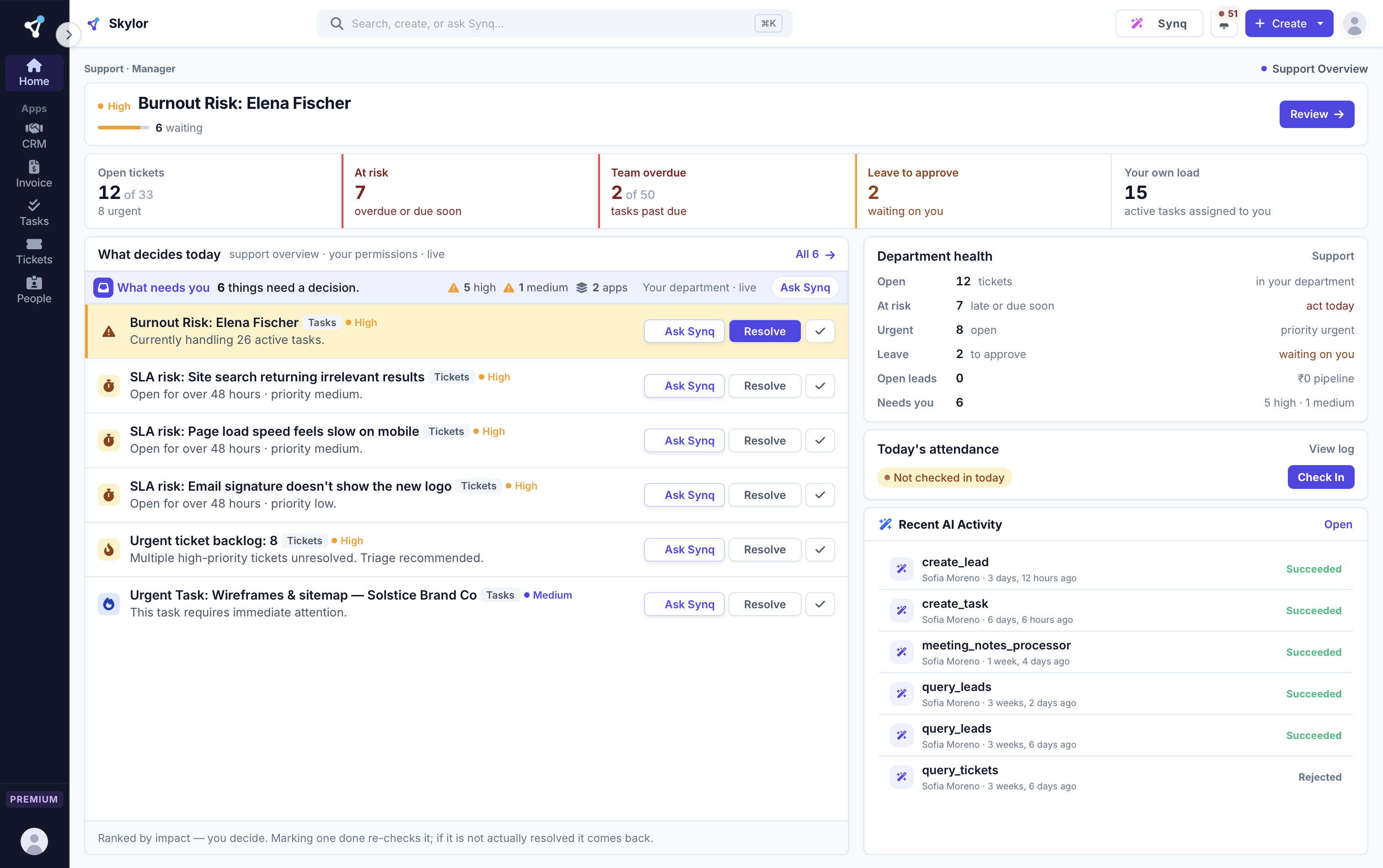
And the same page for a member
Their leads, their tasks, what needs them today, their leave. Identical structure, different scope, so a team learns one screen instead of three.
It drafts, you decide
Emails, summaries, action plans and replies, composed in your voice. Synq proposes; a human always sends. No surprises.
Spend, in your control
Transparent token usage, per-user caps, and workspace model selection. Premium AI without runaway costs or guesswork.
Built for how a real team works.
Permission-aware by design
Synq only ever sees what the user is allowed to see, the same RBAC fence as the rest of the platform. No data leaks across roles or tenants.
Grounded, not guessing
Answers come from your actual workspace data, not generic web knowledge, so they're specific, current, and useful.
Human-in-the-loop
AI drafts and suggests; people approve and act. You stay in control of every outbound action.
The things people ask first.
Is my data used to train external models?
No. Synq is scoped to your tenant and your permissions; requests are stateless and isolated per workspace.
Is AI included in the plan?
Yes. Every paid plan includes a monthly Synq allowance. Heavy users can top up, and addons add more.
Can Synq send emails on its own?
No. Synq drafts and proposes; a human always confirms and sends. High-risk actions require explicit approval.
Synq is one of 7. They work as one.
One login, one bill, one rate. Every app included, on every plan.
Put an AI operating layer across your whole business.
Every app is on every paid plan. Start free for 14 days, no card.