
Every request has an owner and a clock.
Client or teammate, email or portal: every request lands with an owner, a due time and a record of who did what. Nothing lives in one person's inbox.
- SLA targets per priority
- Client portal
- My requests for staff
Tickets is on every plan. SLA targets and automation rules are on Premium, and every trial has them.
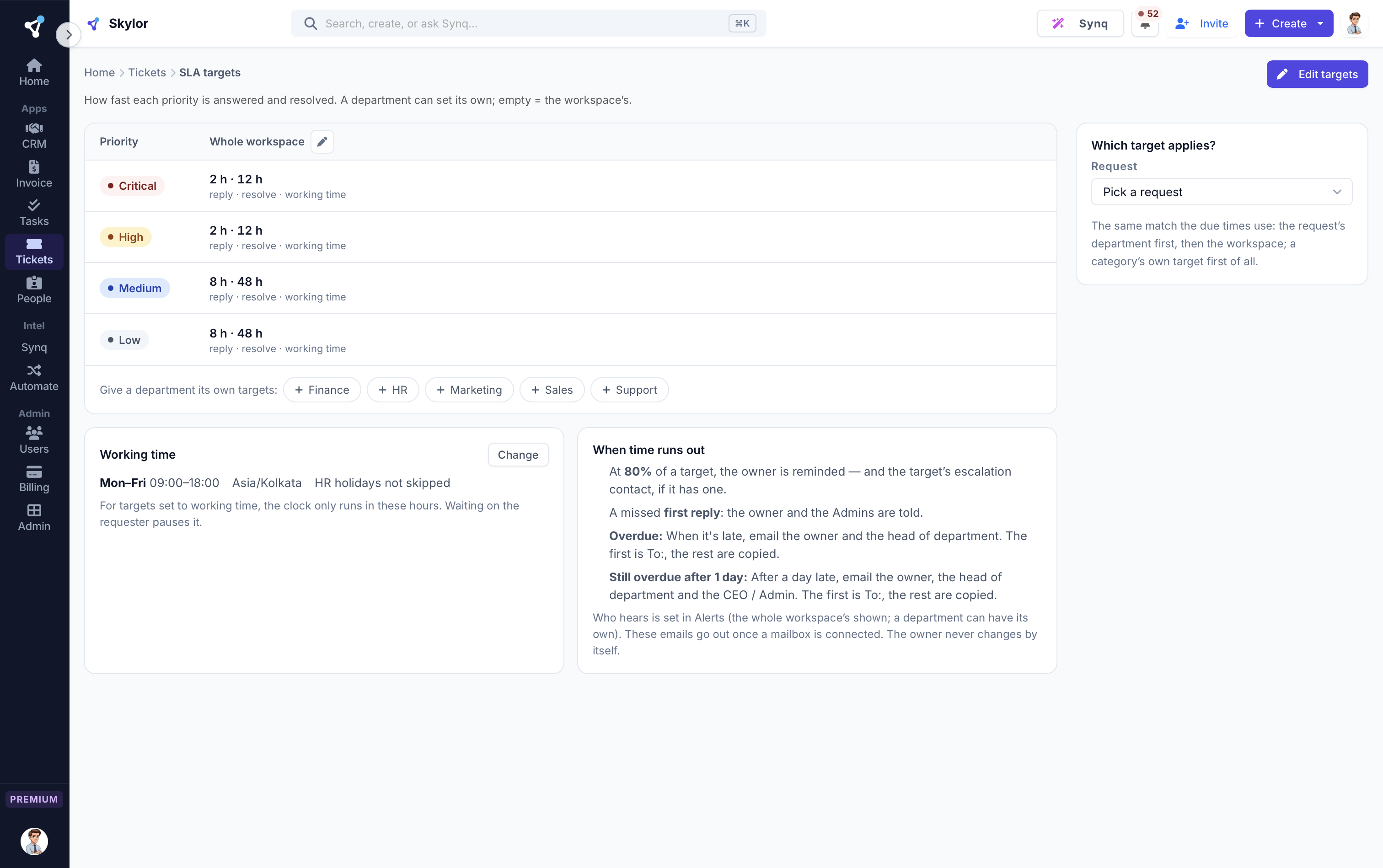
- SLA targets for each priority
- My requests for your staff
- Who owns what is late
Never miss an SLA
Set a response and resolution target for each priority. The clock runs on your working hours and warns the owner before it breaks.
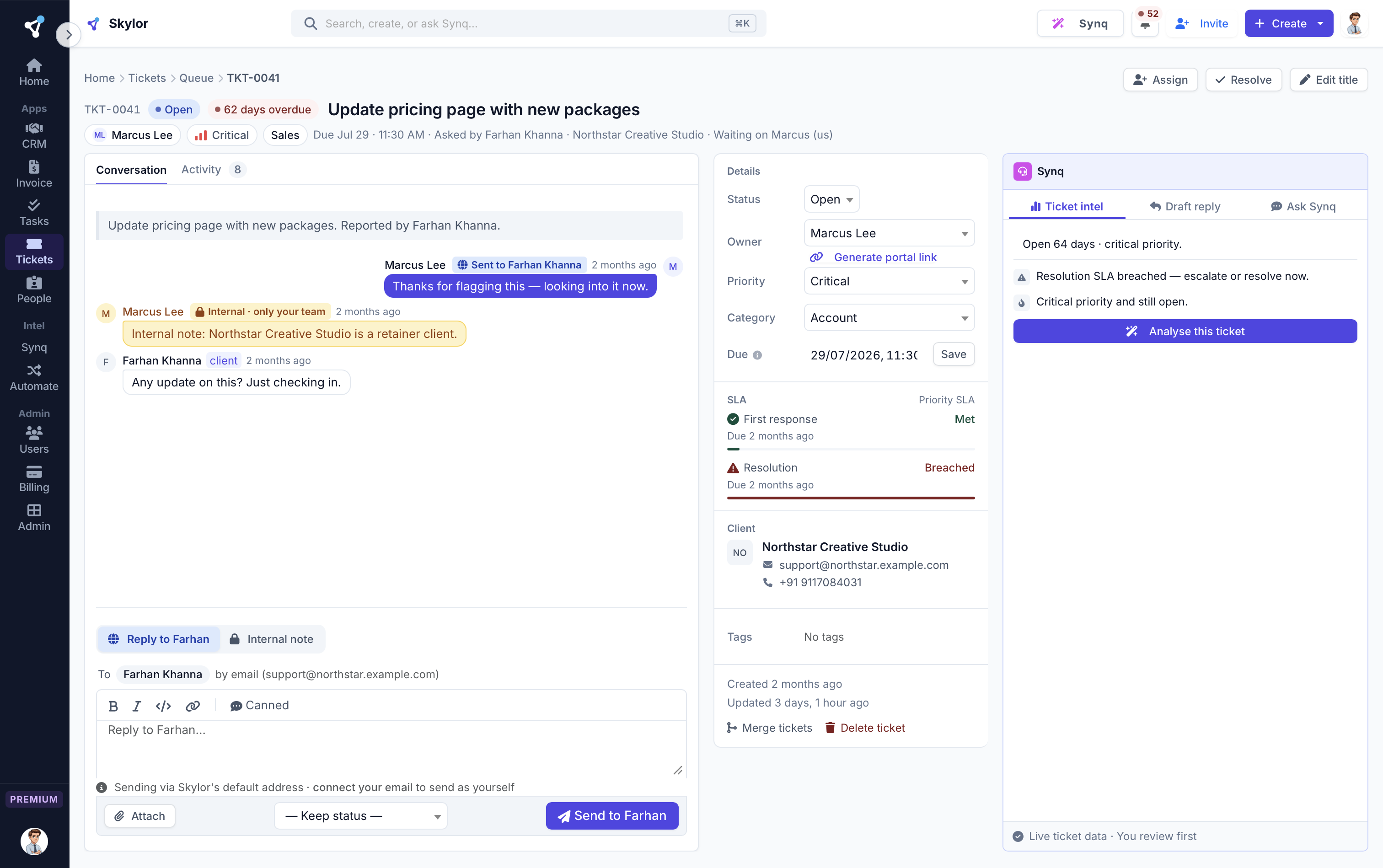
Every ticket, its clock and its history
Replies to the client, notes for the team, the SLA clock and every change, on one page. Synq sits beside it to read the ticket and draft your reply.
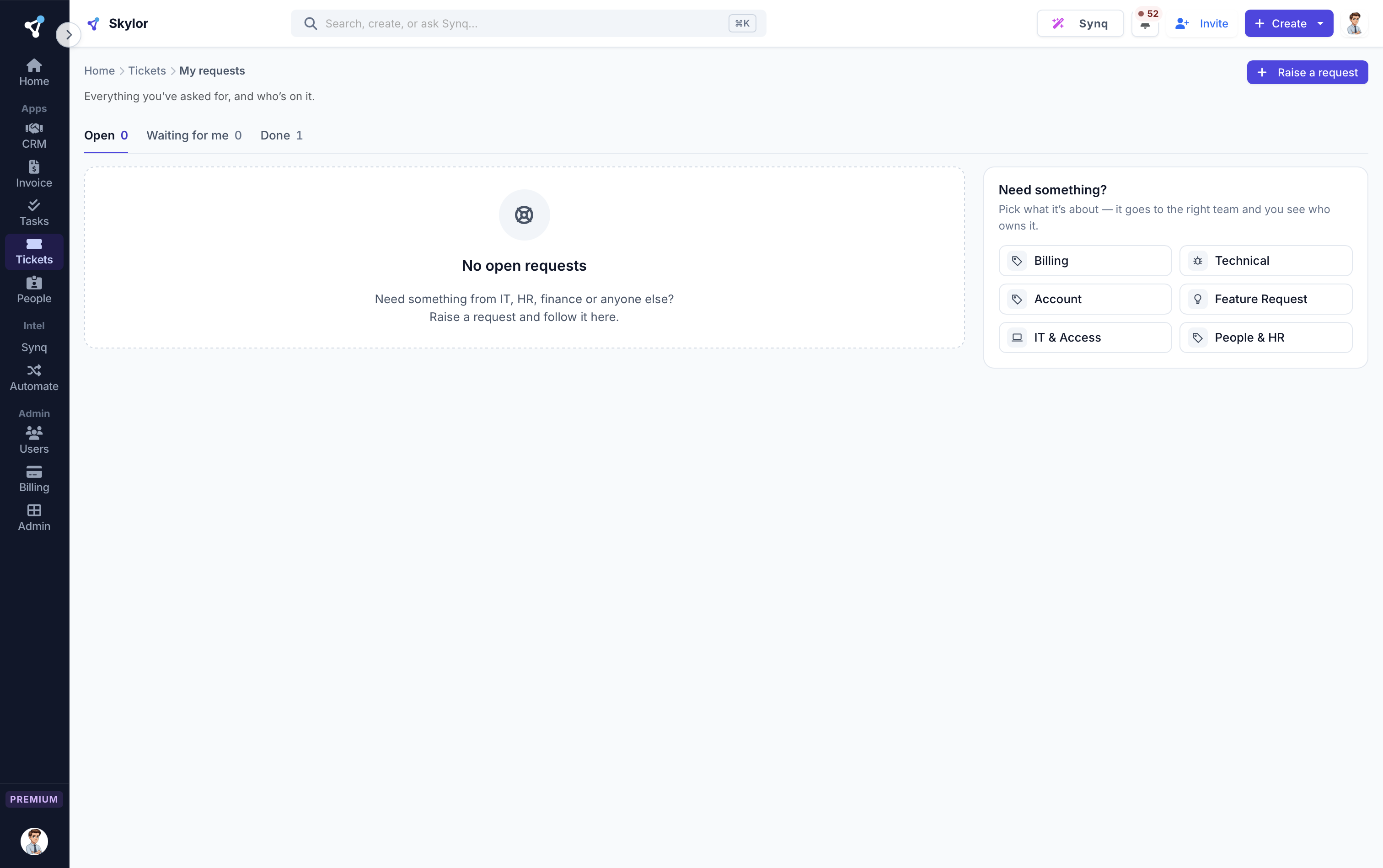
Your staff raise requests too
IT, admin or HR requests from inside the company go through My requests, so they get an owner and a clock like any client.
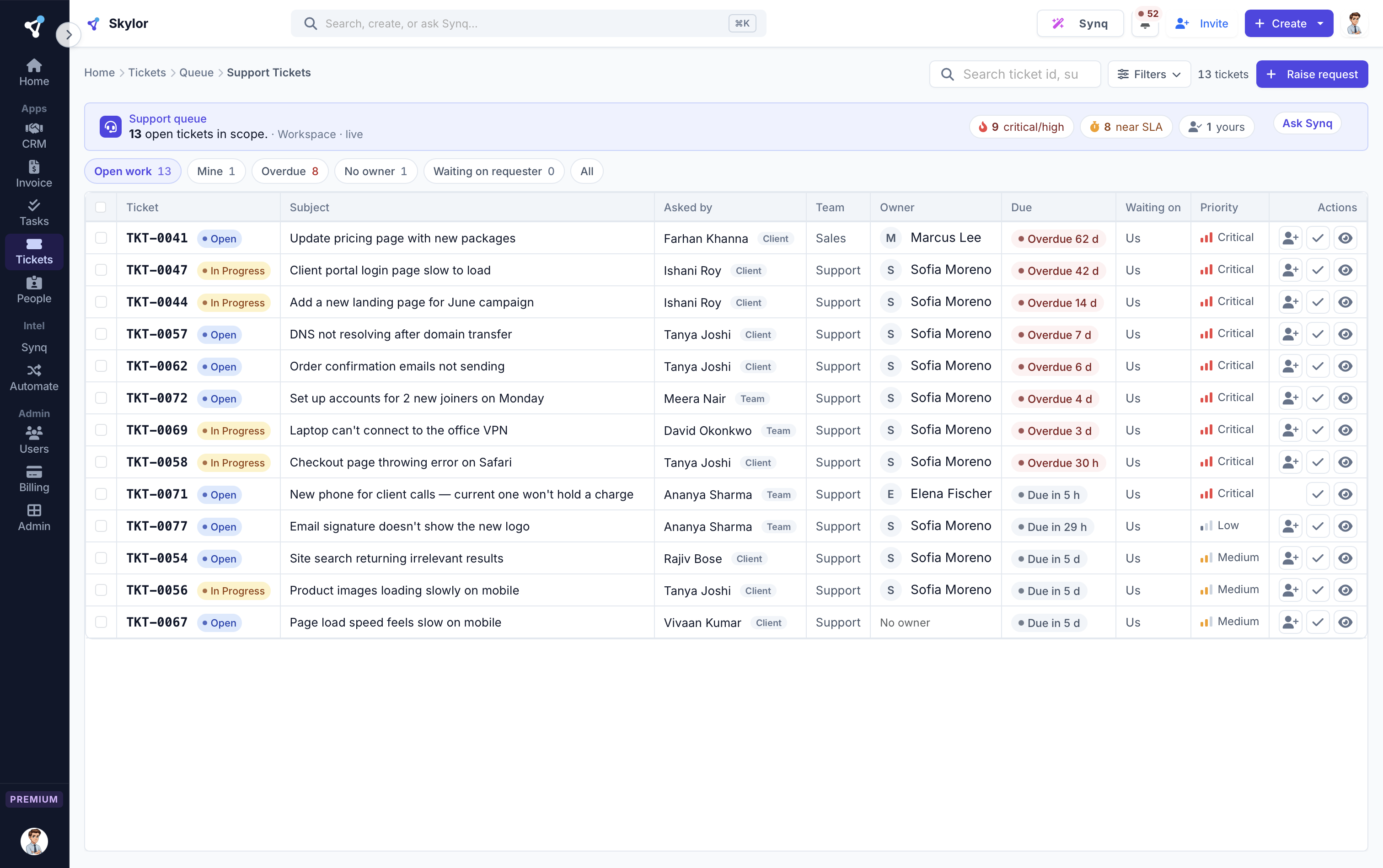
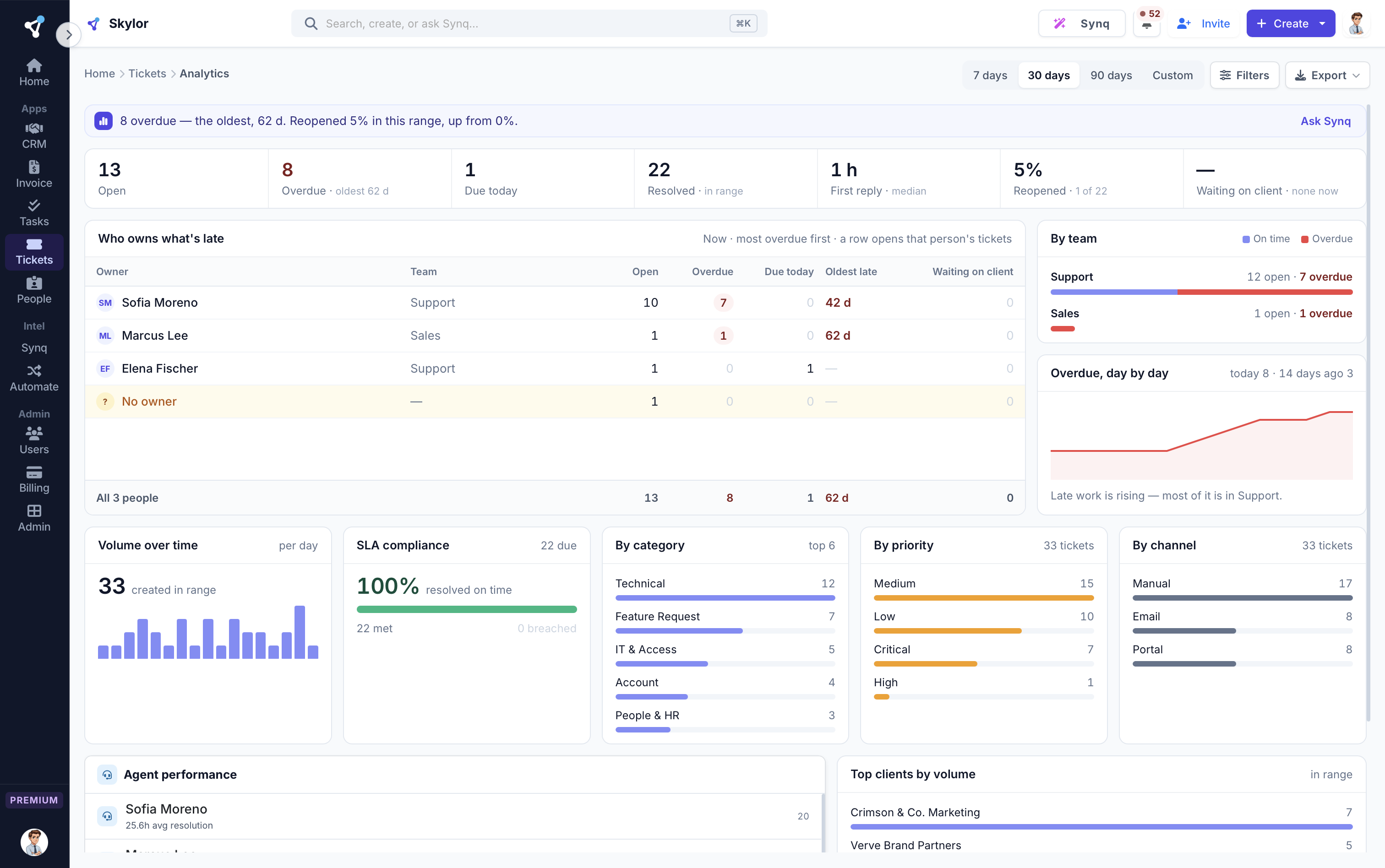
See who owns what is late
Late tickets by person and team, so the conversation starts with a name and a number.
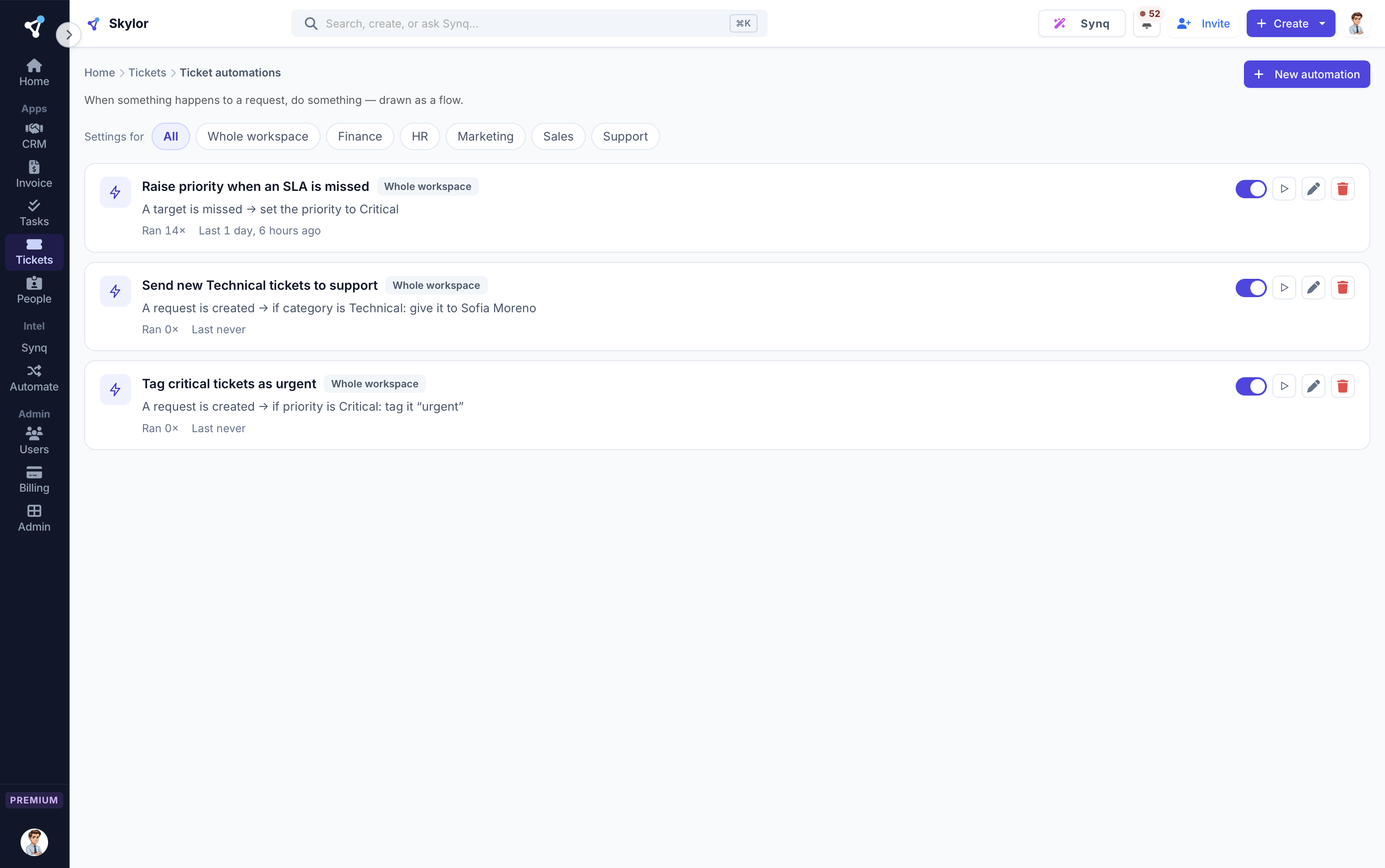
Rules that route and assign
Tickets are assigned and tagged the moment they arrive, and saved replies turn common answers into one click.
Built for how a real team works.
A portal customers love
A magic-link client portal lets customers track and reply. No logins, fully branded, mobile-first.
Email-optional by design
Works even when email isn't configured. Share the portal link directly, and send from your own mailbox when ready.
Resolve faster
Categories, assignment rules and canned responses cut handle time so a small team punches above its weight.
The things people ask first.
Can customers reply without an account?
Yes. A secure magic-link portal lets them view and reply with no login required.
What if I haven't connected email yet?
The desk works regardless: share the portal link manually, and connect your own mailbox whenever you're ready.
Can I automate ticket routing?
Yes. Assignment rules and event-based automations route, assign and tag tickets automatically.
Tickets is one of 7. They work as one.
One login, one bill, one rate. Every app included, on every plan.
Answer customers before they have to chase you.
Every app is on every paid plan. Start free for 14 days, no card.