
Money in and money out, in one place.
GST tax invoices in your own design and a clear view of who still owes you. Now also everything you buy: asked for, approved, ordered, matched and paid.
- GST tax invoices
- Automatic reminders
- Purchases, matched three ways
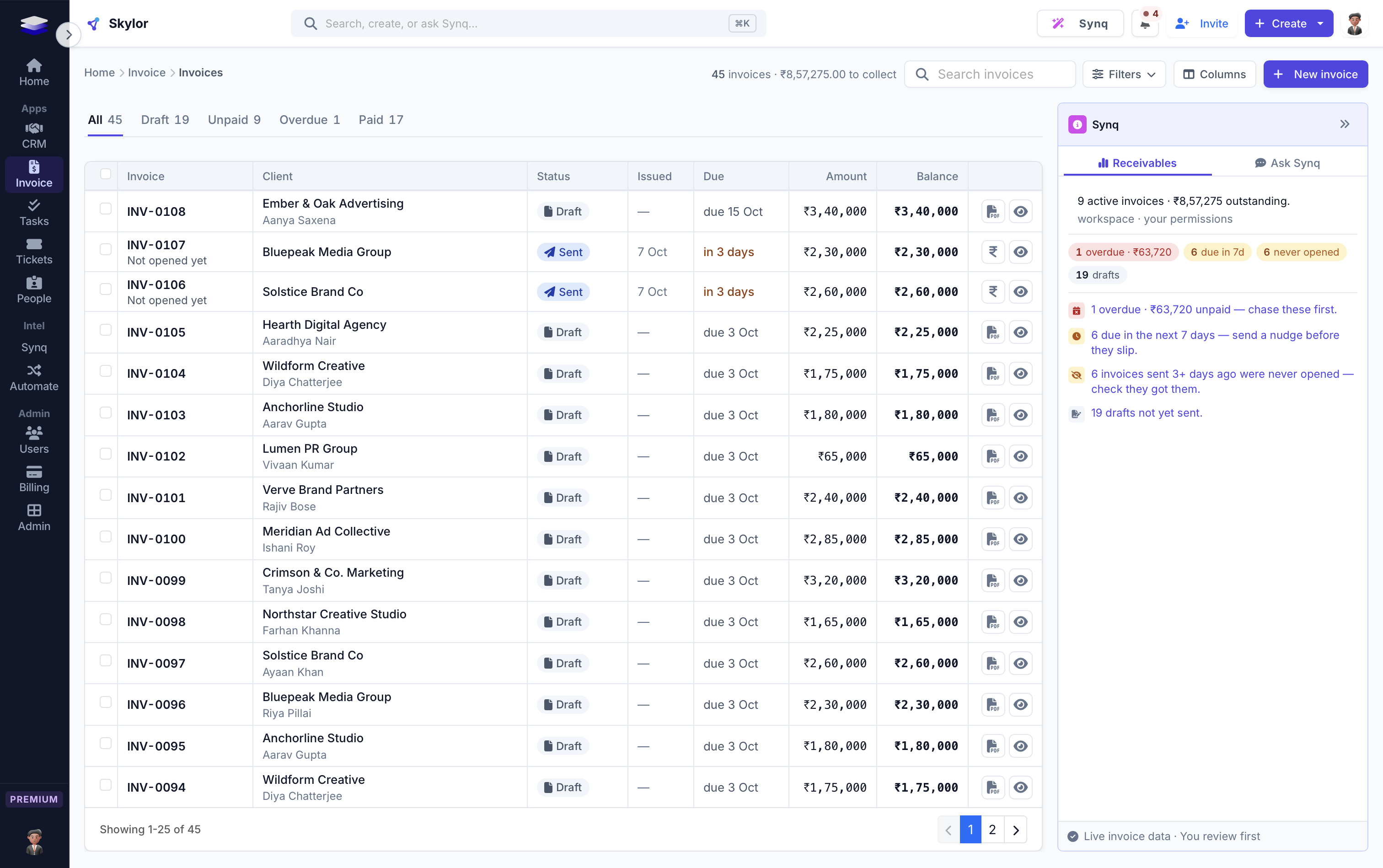
Invoicing is on every plan, and so is the everyday half of Purchases: asking, approving, ordering and receiving. Bill matching, vendor payments, budgets, quote comparison, recurring invoices, credit notes and expenses are on Premium, and every trial has them.
- Purchases: ask, approve, order, match, pay
- Invoice layouts in your colours
- The GST tax invoice
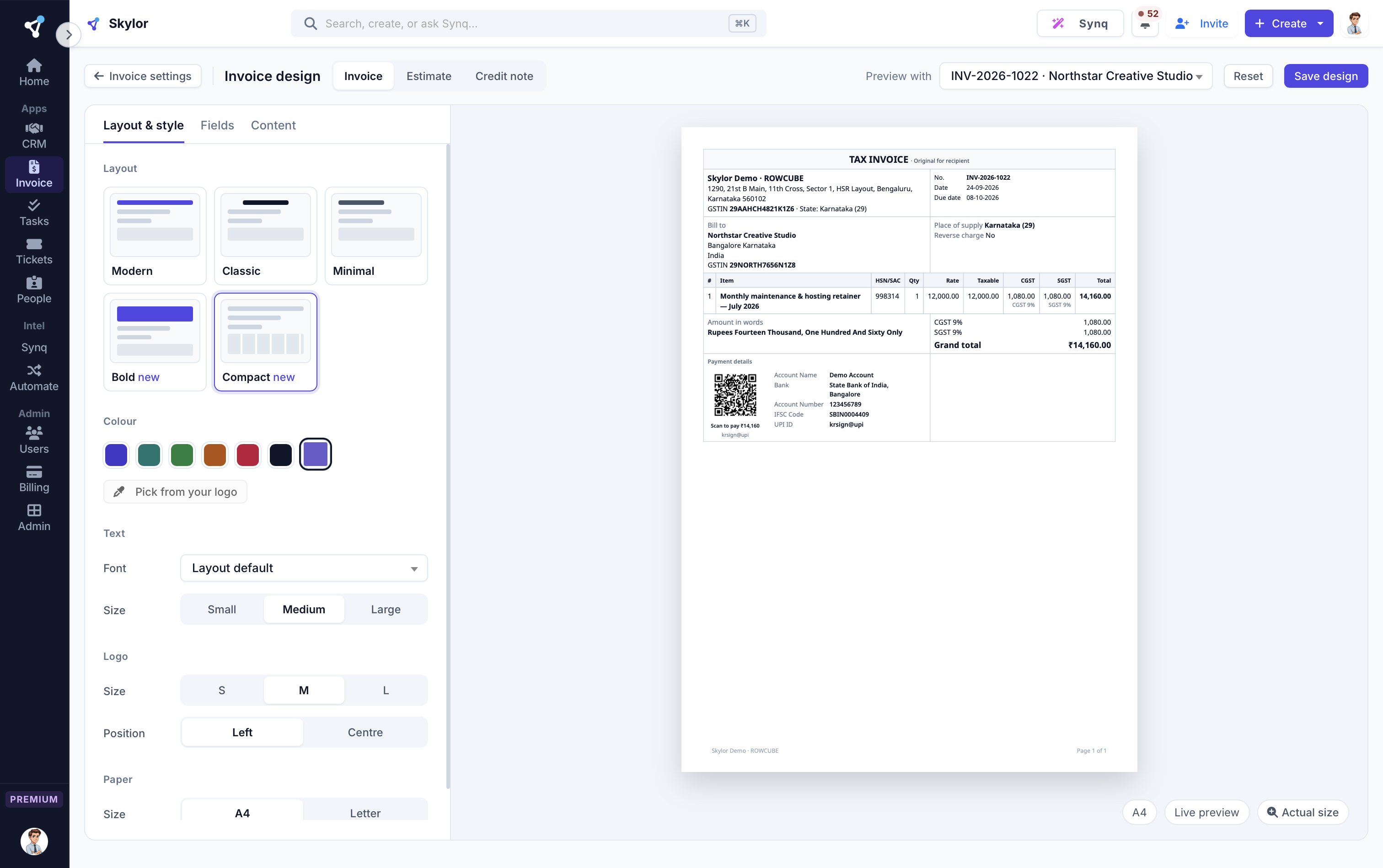
Invoices that look like yours
Pick a layout, add your logo, colours and font, and see the invoice change beside the form as you type.
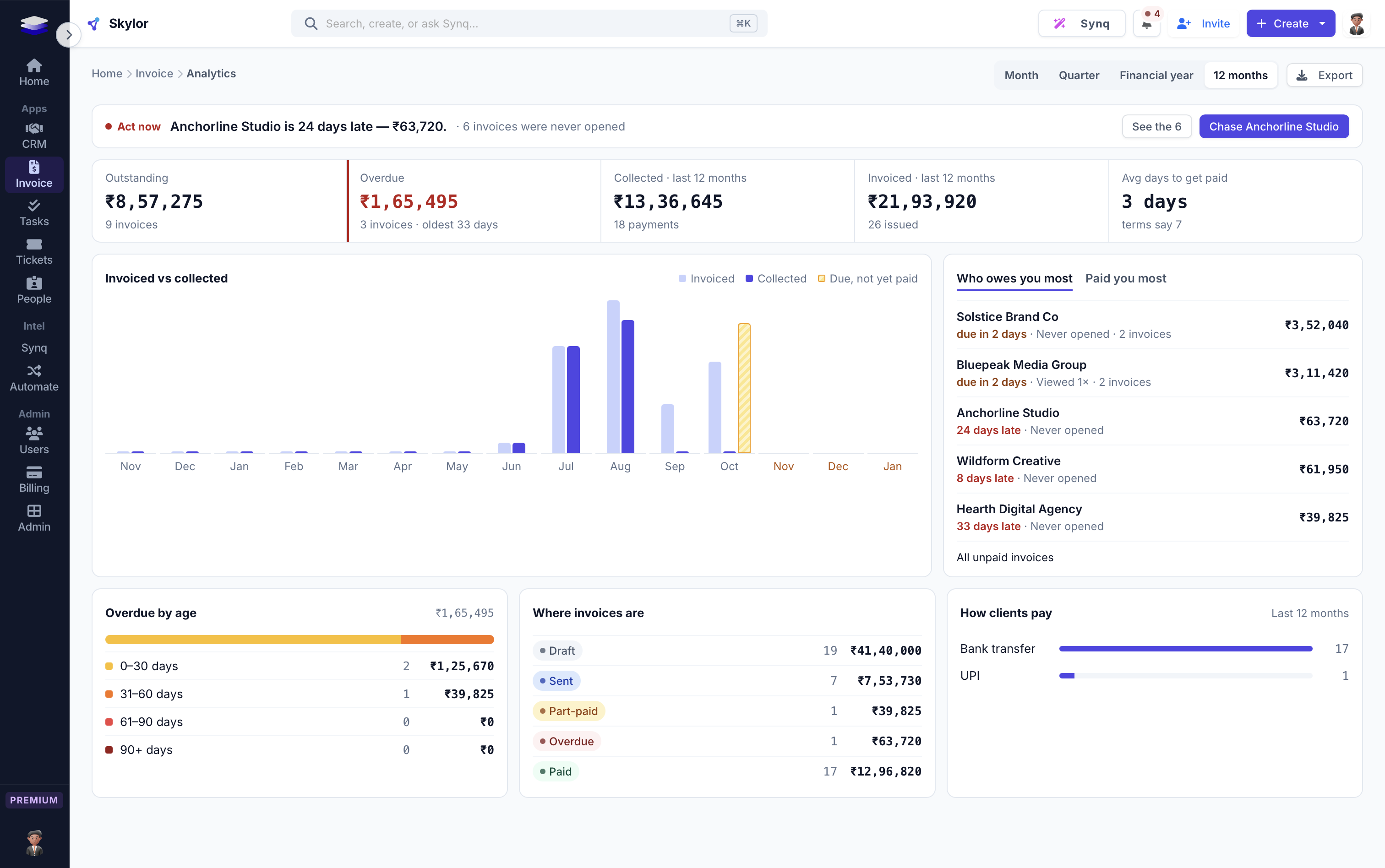
Watch your cashflow, not your inbox
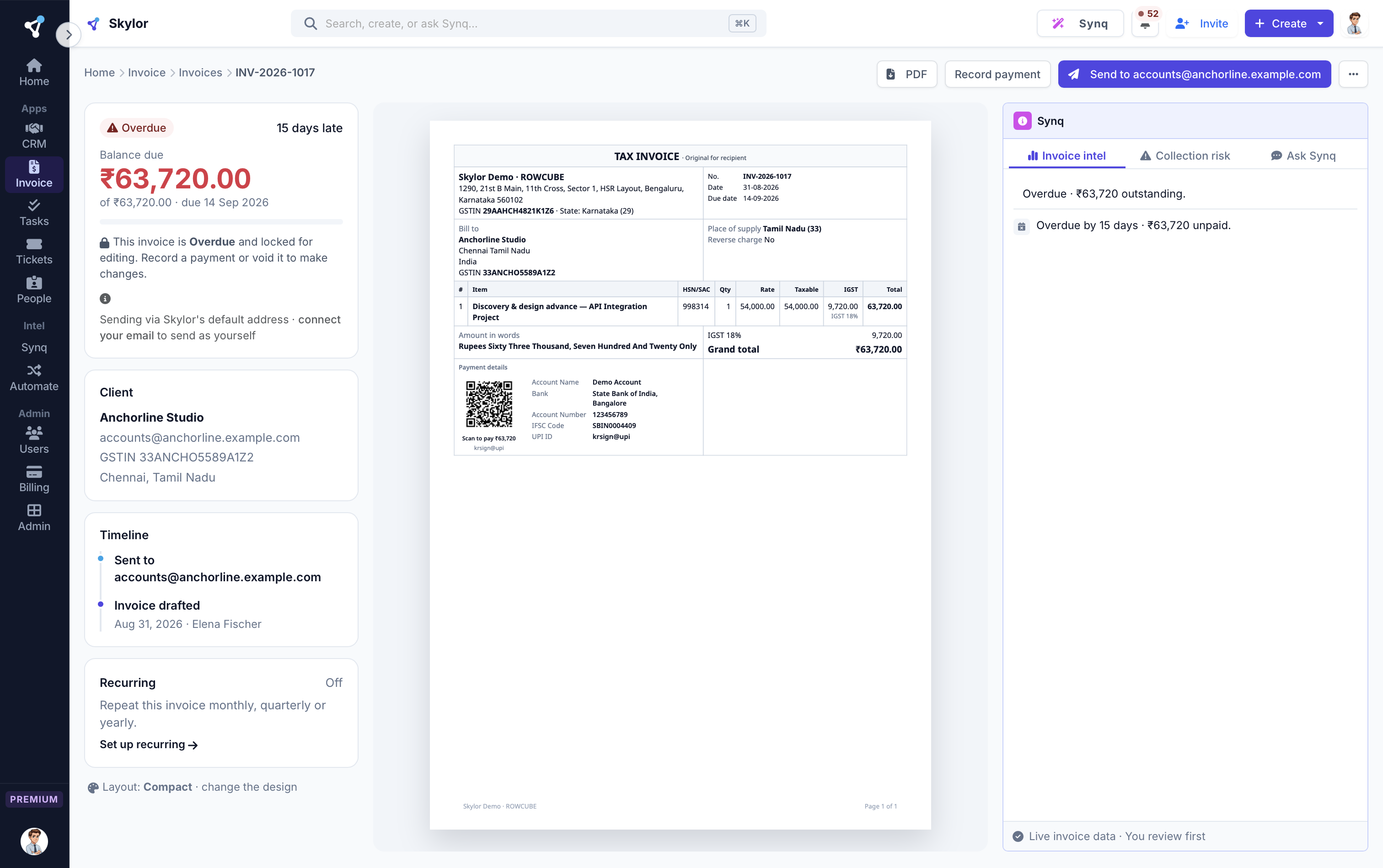
Analytics tells you what to do now: the most overdue client by name with a one-click chase, invoiced beside collected with what falls due next, and who owes you most. You also see which invoices were sent days ago and never opened.
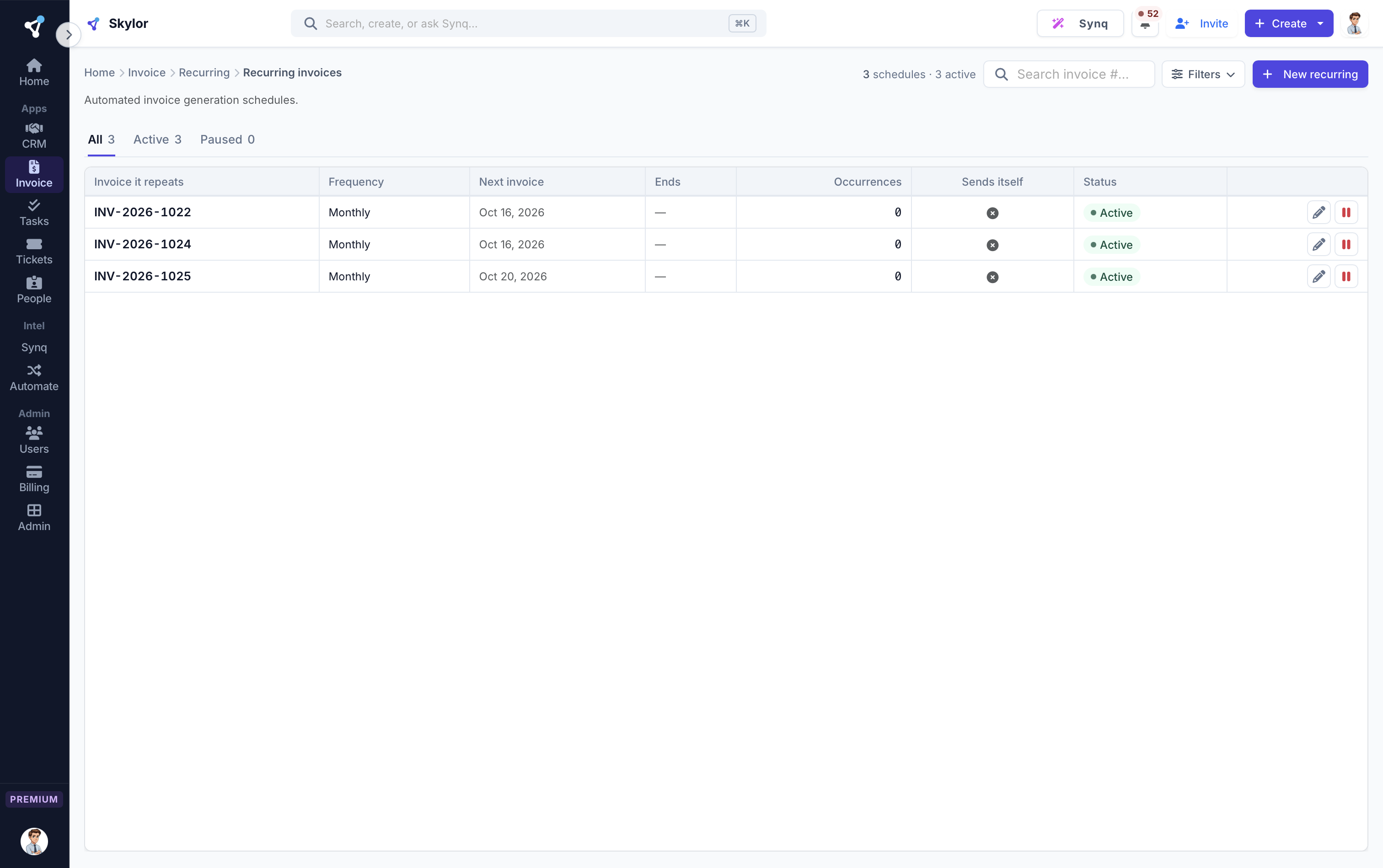
Bill on repeat, automatically
Recurring schedules raise and send invoices on time, every cycle. Retainers and subscriptions run themselves.
Ask why this one has not been paid
Open an overdue invoice and Synq reads the client's history beside it: what they owe, how they have paid before, and a draft chase you approve before anything is sent.
Money going out, as controlled as money coming in.
Inside Invoicing, on Premium. Five steps, each with an owner, and nothing is paid until the bill matches.
Anyone asks to buy
They see who will approve it before they send. Synq can read the quote for them.
The right person approves
By amount, department and budget. Someone on leave has cover.
Finance orders the best quote
Vendors quote on their own link, and you compare them side by side.
The bill is checked three ways
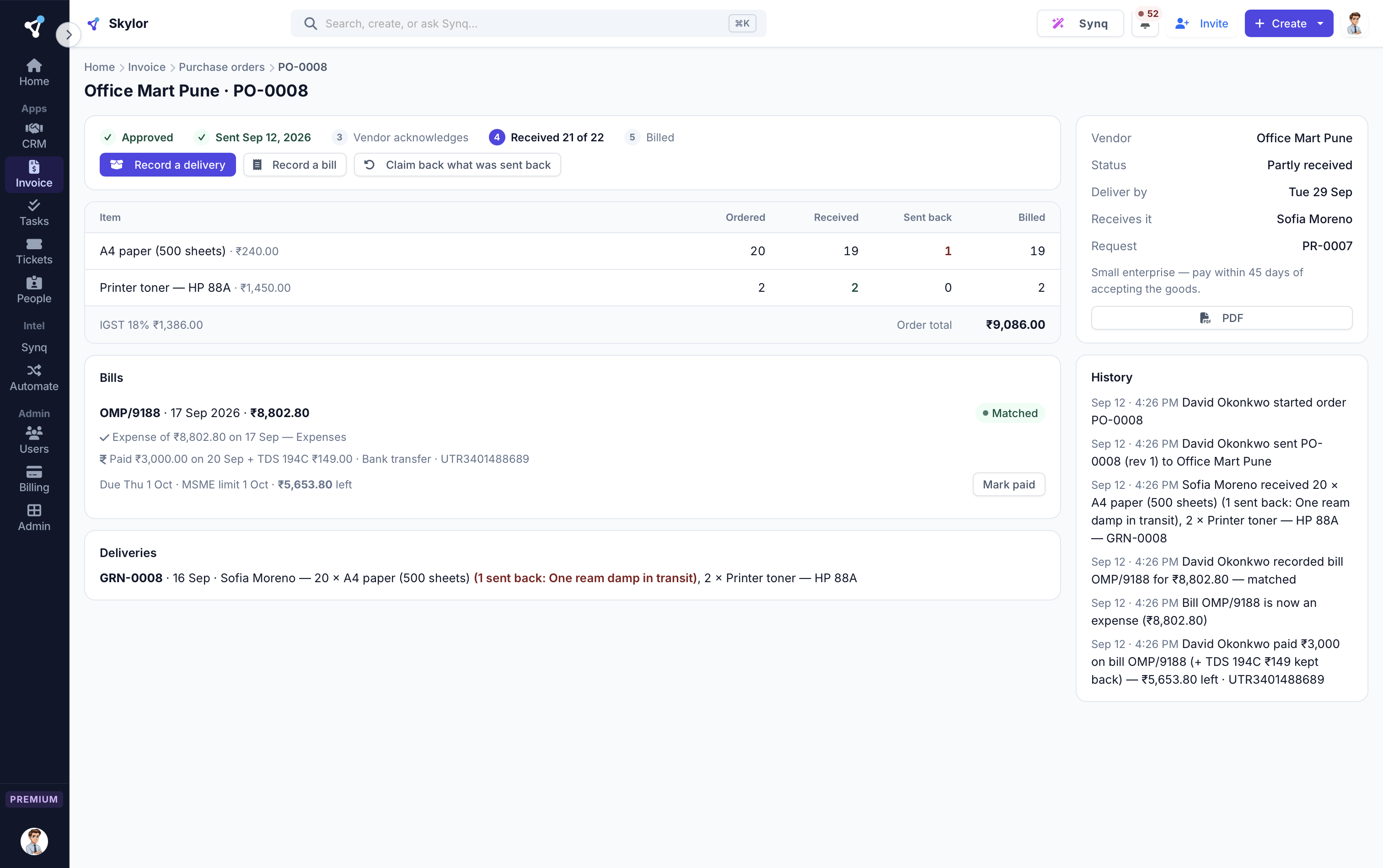
Ordered, received and billed must agree before anything is paid.
Paid on time
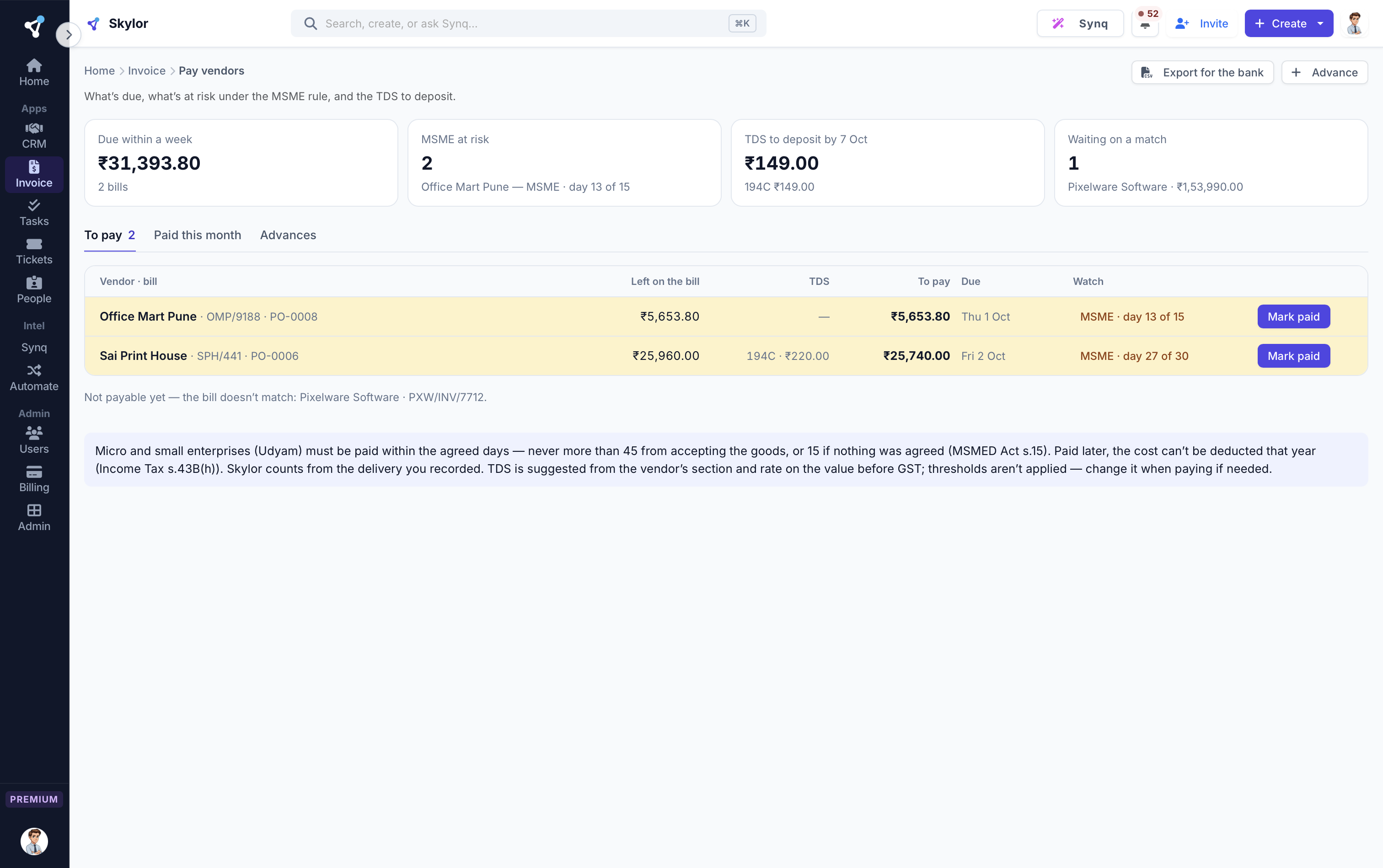
TDS worked out and the MSME 45-day limit tracked, with reminders.
Compare quotes side by side
Invite vendors to quote on their own link. Prices, delivery and their track record line up in one table.
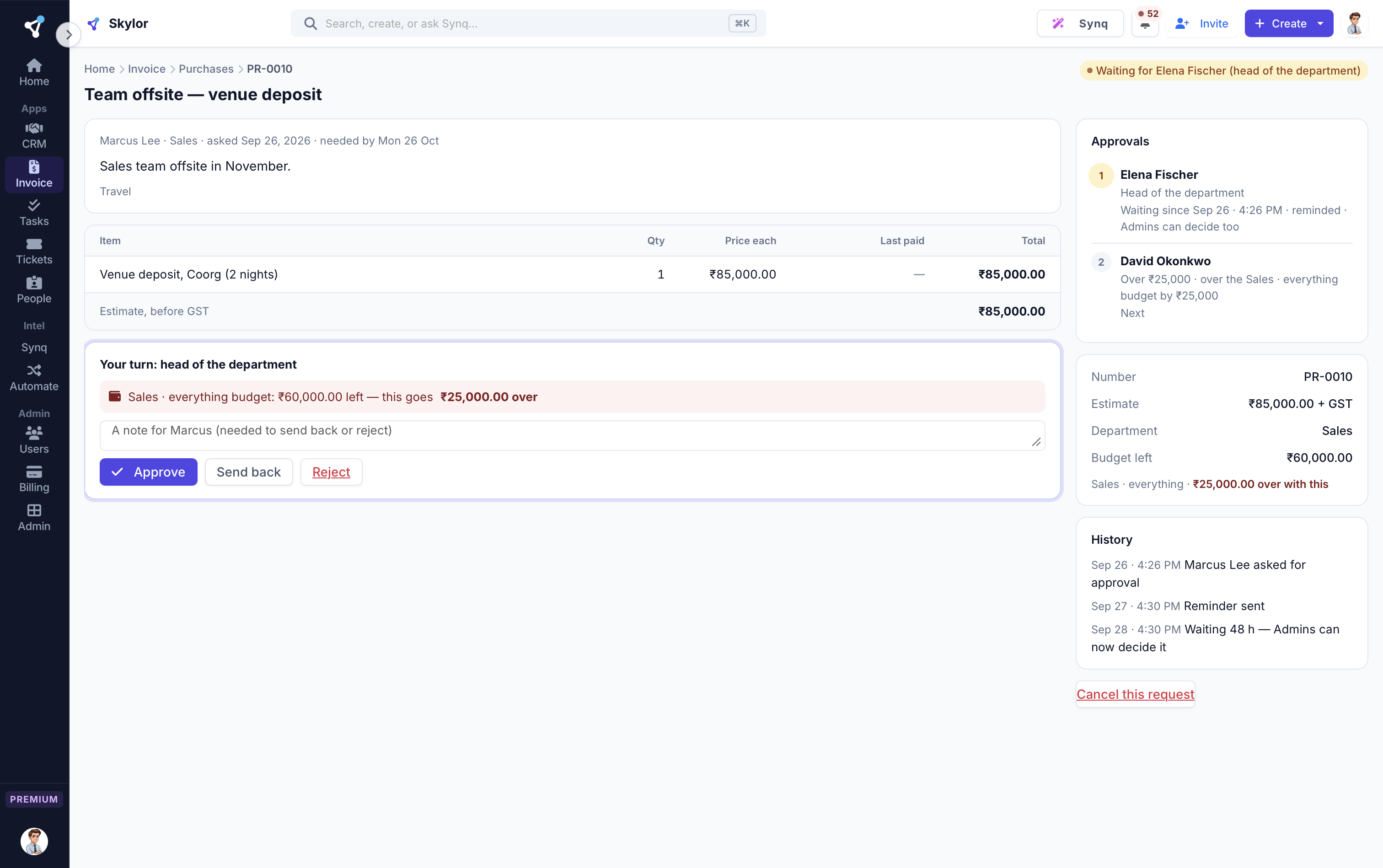
A bill is paid only when it matches
What was ordered, what arrived and what was billed are checked against each other. A mismatch waits for a person.
Pay on time, every time
One list of what is due this week, with TDS worked out and the MSME 45-day limit counted down.
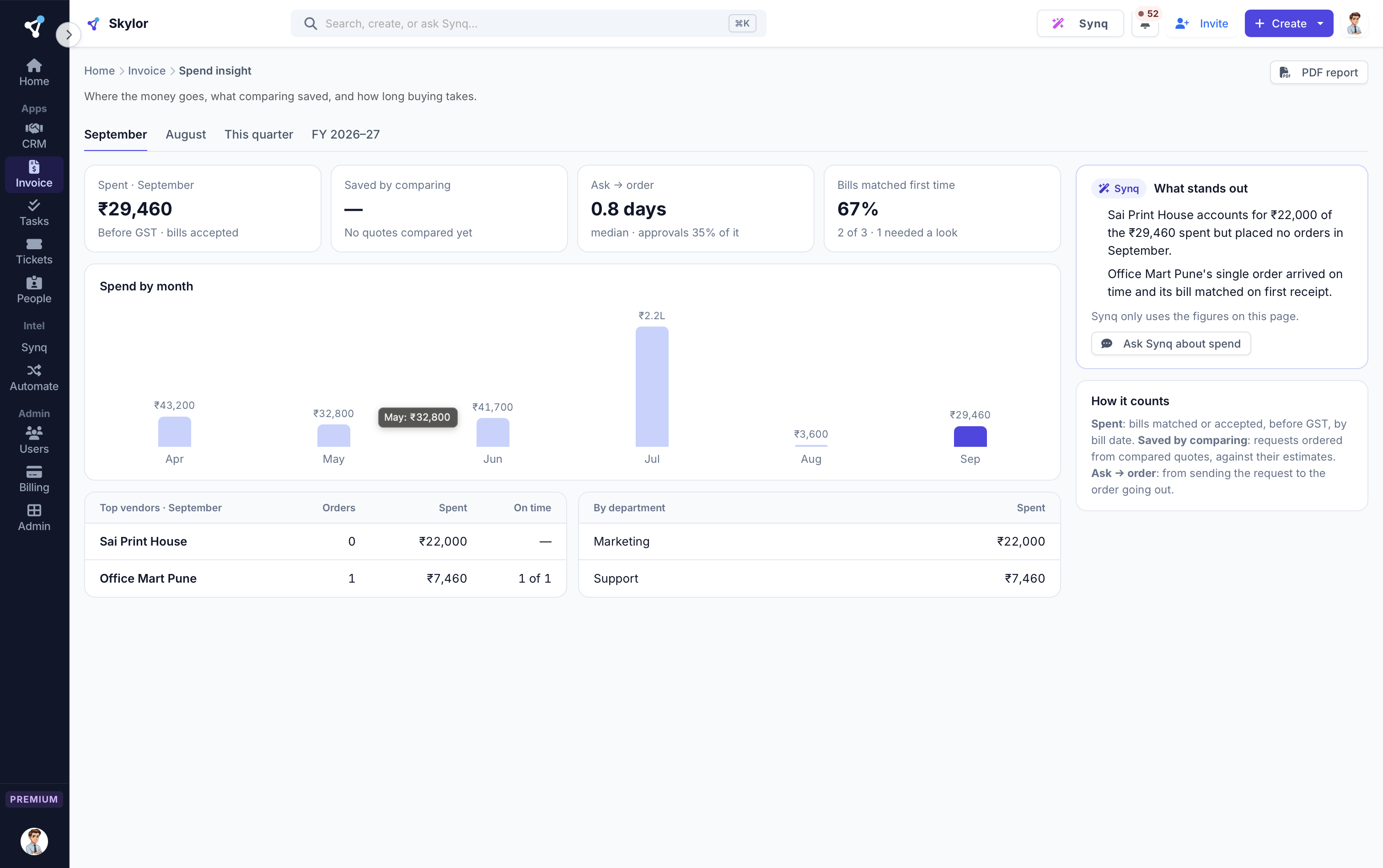
Know where the money goes
Spend by month, vendor and department, what comparing quotes saved, and how long approvals take.
Built for how a real team works.
Estimate to invoice in one click
Quote, win, convert. Estimates become invoices with tax and line items preserved.
Reminders that collect for you
Automated payment reminders nudge clients so you don't have to send the awkward email.
A client portal that builds trust
Clients open a secure link, see what they owe and pay by UPI straight to your own UPI ID. They download numbered receipts and a statement of account, see their credit notes, and accept your estimates by typing their name. No login for them to forget.
The things people ask first.
Is it GST-compliant for India?
Yes. Per-line tax profiles, SAC codes, and compliant PDF output are built in.
Can I send recurring invoices?
Yes, on weekly/monthly/quarterly/yearly schedules, with optional auto-send.
Can clients pay online?
Yes, by UPI. From the invoice in their portal, their UPI app opens with the amount and invoice number filled in, or they scan a QR on a computer, and the money goes straight to your own UPI ID. They tap "I've paid" with the reference and you confirm it in one click. Money never passes through Skylor. Card payment inside the portal is not there yet.
Invoicing & Purchases is one of 7. They work as one.
One login, one bill, one rate. Every app included, on every plan.
Stop guessing about cash. Know it.
Every app is on every paid plan. Start free for 14 days, no card.